Summary screen
Player statistics collected since the last sleep are displayed on the summary screen. The summary screen has four different themes that can be easily switched between.
Themes
- Vanilla
- Classic
- Tech
- Magic
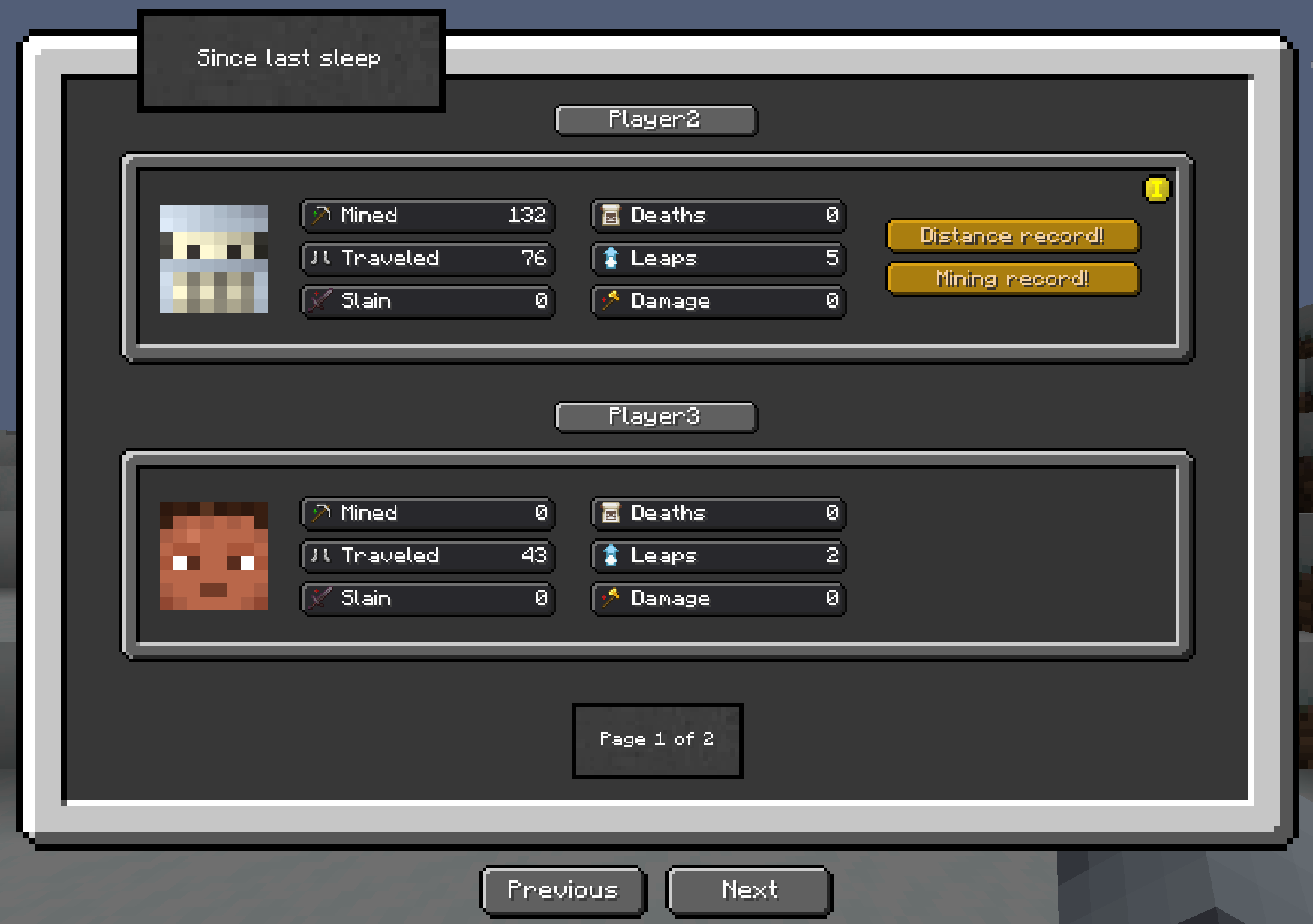 The Vanilla theme is designed in a Minecraft style to blend in with the overall vanilla theme. It's compatible with QOL modpacks.
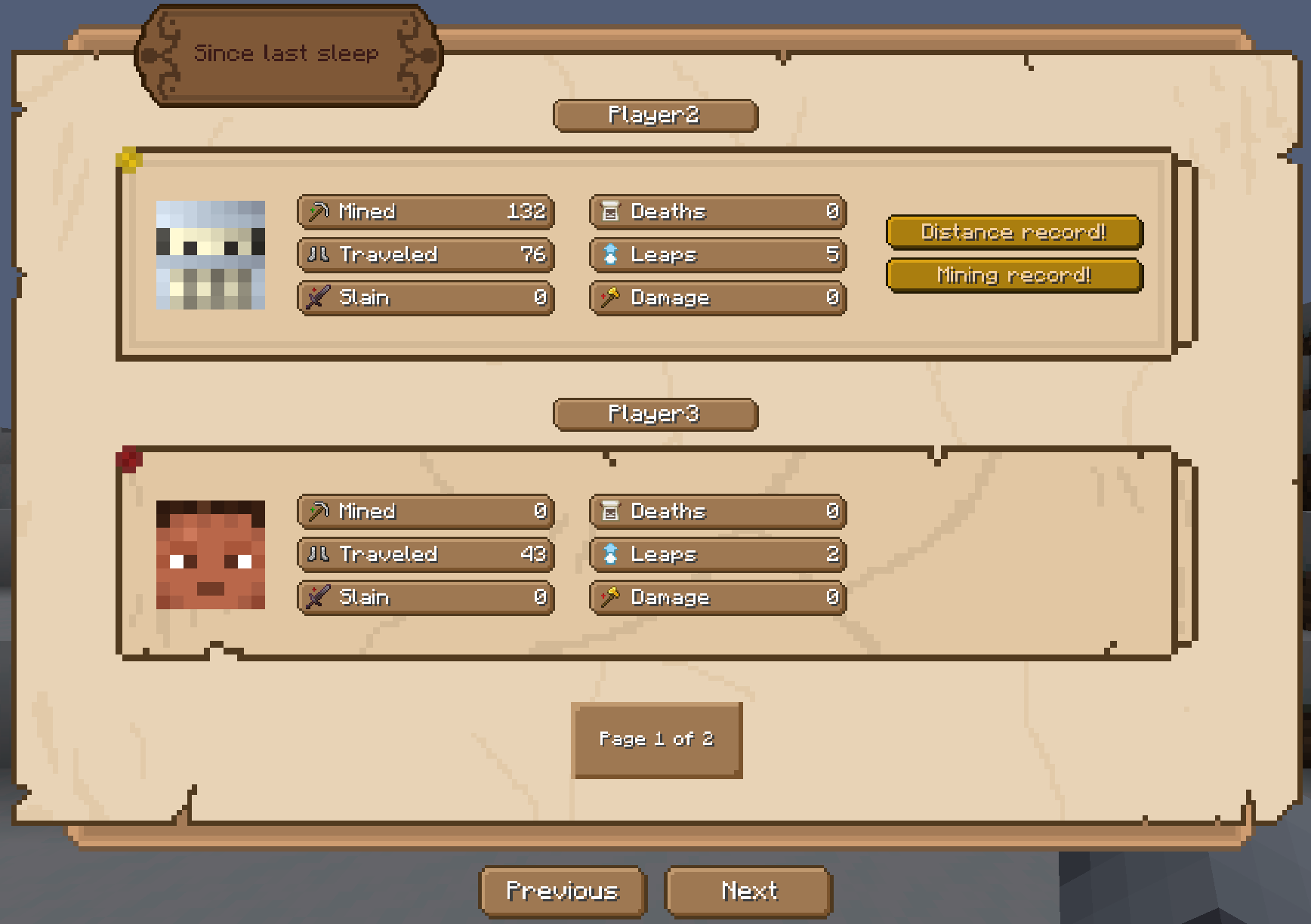 The Classic theme is the default. It features a medieval style and is suitable for classic RPG modpacks.
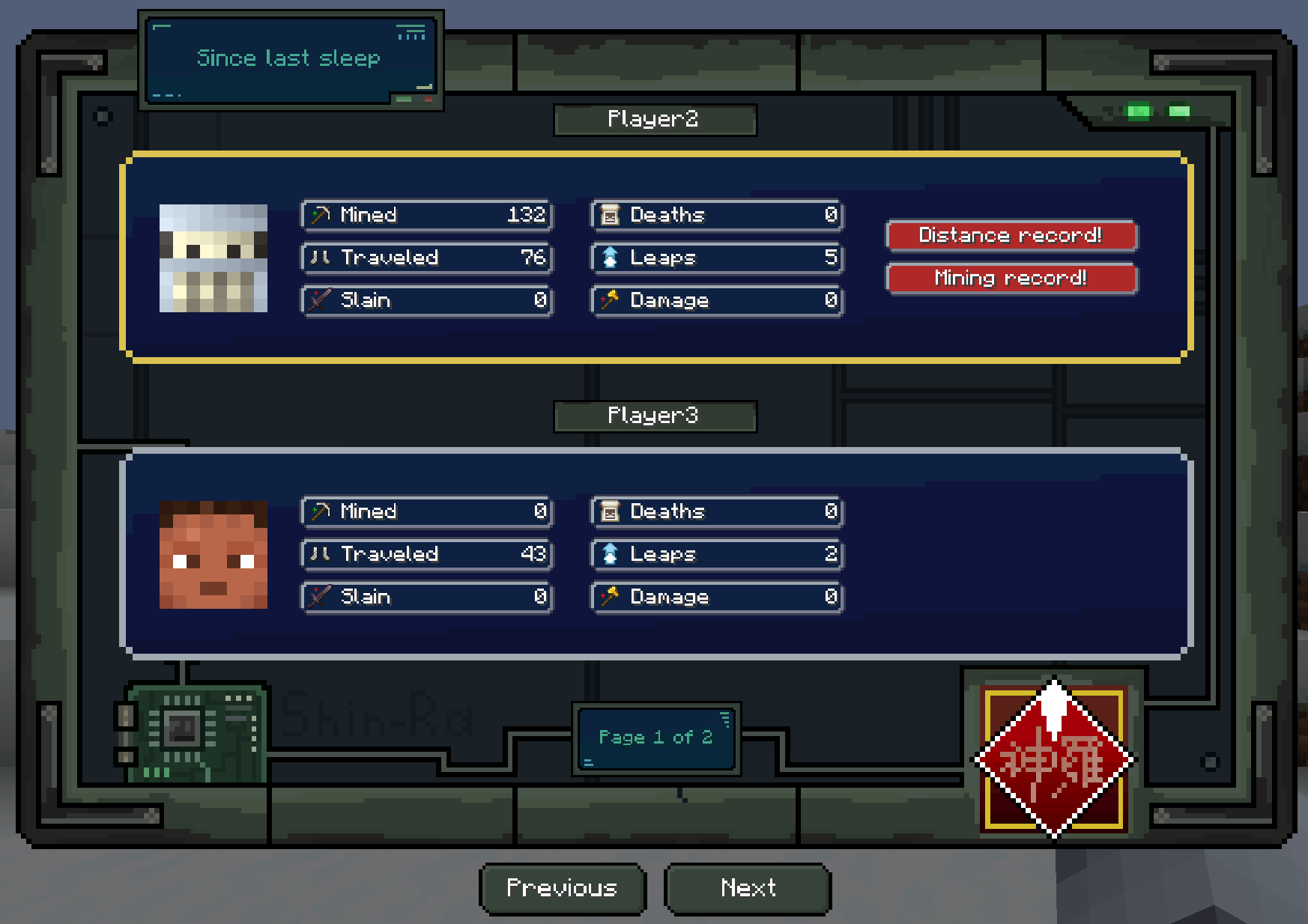 The Tech theme is more specific. It's inspired by Final Fantasy 7 and is suitable for more technical-biological modpacks.
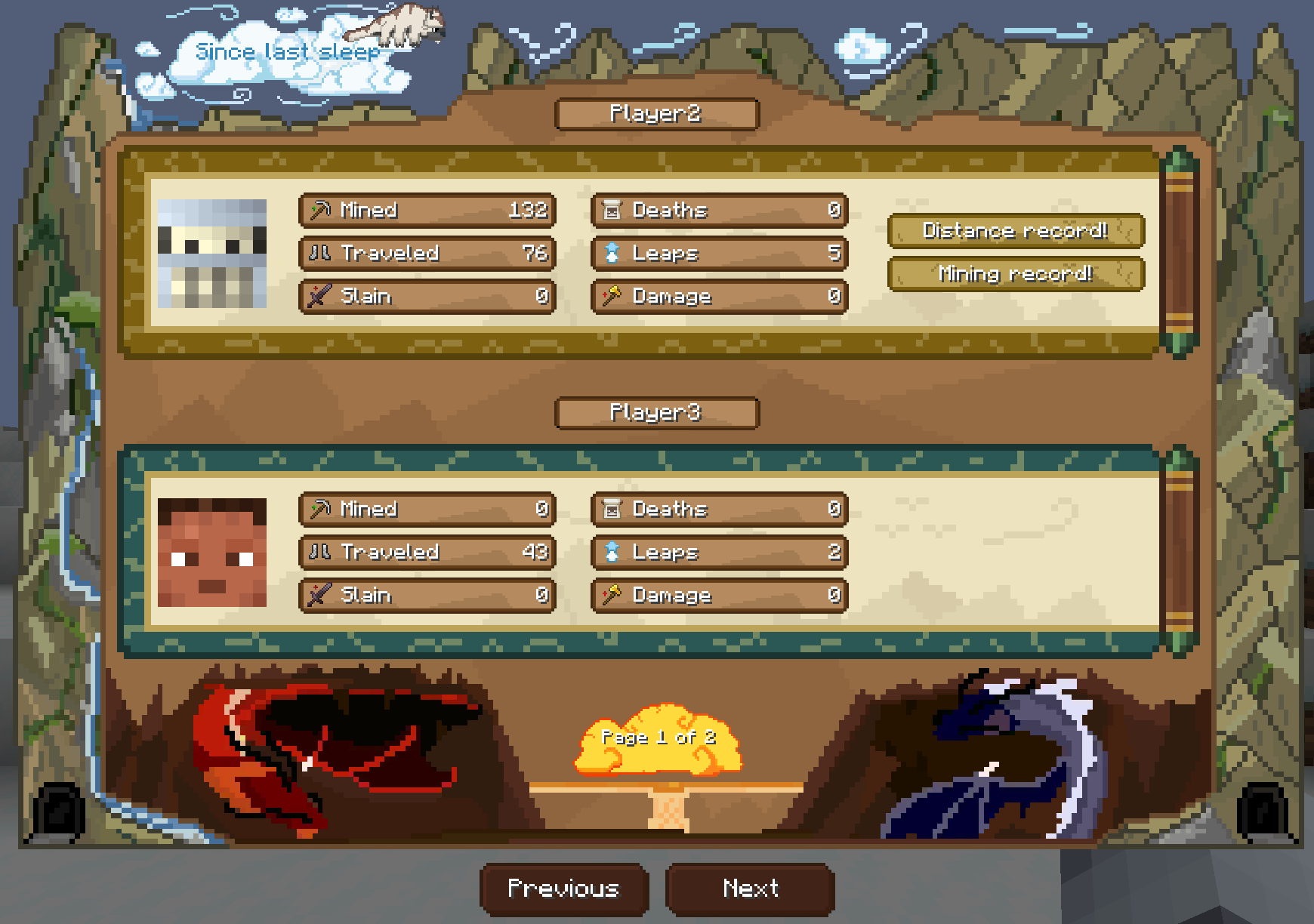 The Magic theme is inspired by Avatar: The Last Airbender. Suitable for magic-based modpacks.
Switching themes
In the upper right corner of the summary screen, there's a gear-shaped button. Clicking it changes the theme. Each player can choose a custom theme, and it will only be displayed for them.
The default theme on the server is determined by the config parameter:
"theme": "classic"
Available options: classic, vanilla, tech, magic.
If a player changes their theme, that theme will be displayed regardless of the server's default theme.
Config
| Parameter | Default | Description |
|---|---|---|
theme | "classic" | Default theme for all players on the server |
hideThemeSwitchButton | false | Set to true to disable players' ability to change themes |
enableDailySummaryScreen | true | Set to false to completely disable the summary screen |
Setting hideThemeSwitchButton: true removes the gear button from the summary screen, preventing players from changing their personal theme.
An invalid theme name in the config is not an error — it resets to classic and the correction is written to the server log. The same applies to a player's personal choice.
Who sees it
The summary is shown to players who actually slept that night.
If a player got out of bed on their own before morning and never went back, they do not get a summary — the night was skipped by others, not by them. A player who tried to sleep and was refused because of low comfort also does not count as having gone back to bed.
This ties into the vanilla playerSleepingPercentage gamerule. Details on the for servers page.